
FormFill Pro
Coming soon on Google Workspace Marketplace™
Tired of formulas that stop at the last row whenever a new Google Forms™ response lands in Google Sheets™? FormFill Pro is the copy-down fix: set up one template row and every new form submission automatically gets the same formulas and formatting, with relative references adjusted just like a manual fill-down.
The Marketplace listing is not live yet. It is still awaiting Google verification, so FormFill Pro cannot be installed from the Marketplace today. Checkout is not open.
What it does
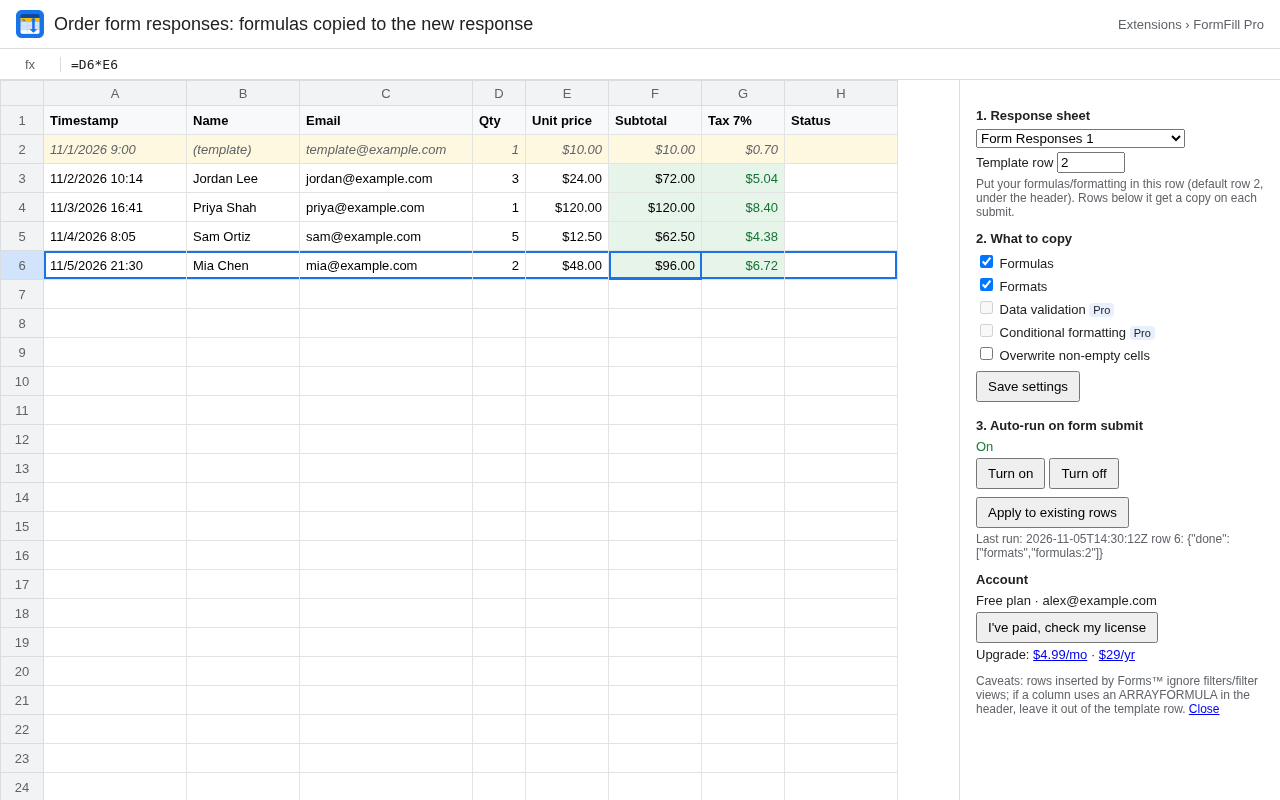
- Auto-copies formulas from your template row onto each new form response — no ARRAYFORMULA rewrites, no dragging.
- Copies number formats, colors, fonts and borders onto each new row.
- Never overwrites the answers Google Forms™ wrote, unless you choose “Overwrite non-empty cells”.
- “Apply to existing rows” backfills older responses in one click.
- “Last run” shows what was copied on the most recent submission.
- Runs inside your spreadsheet; response data stays in Google.
Free and Pro
When the add-on launches, these will be the plans. We are not taking payments yet.
| Free | Pro · $4.99/month or $29/year |
|---|---|
| Formulas and formats on every submit. | Everything in Free, plus data validation (dropdowns, checkboxes, number rules) and conditional formatting so status colors follow every new response. Cancel any time. |
How it works
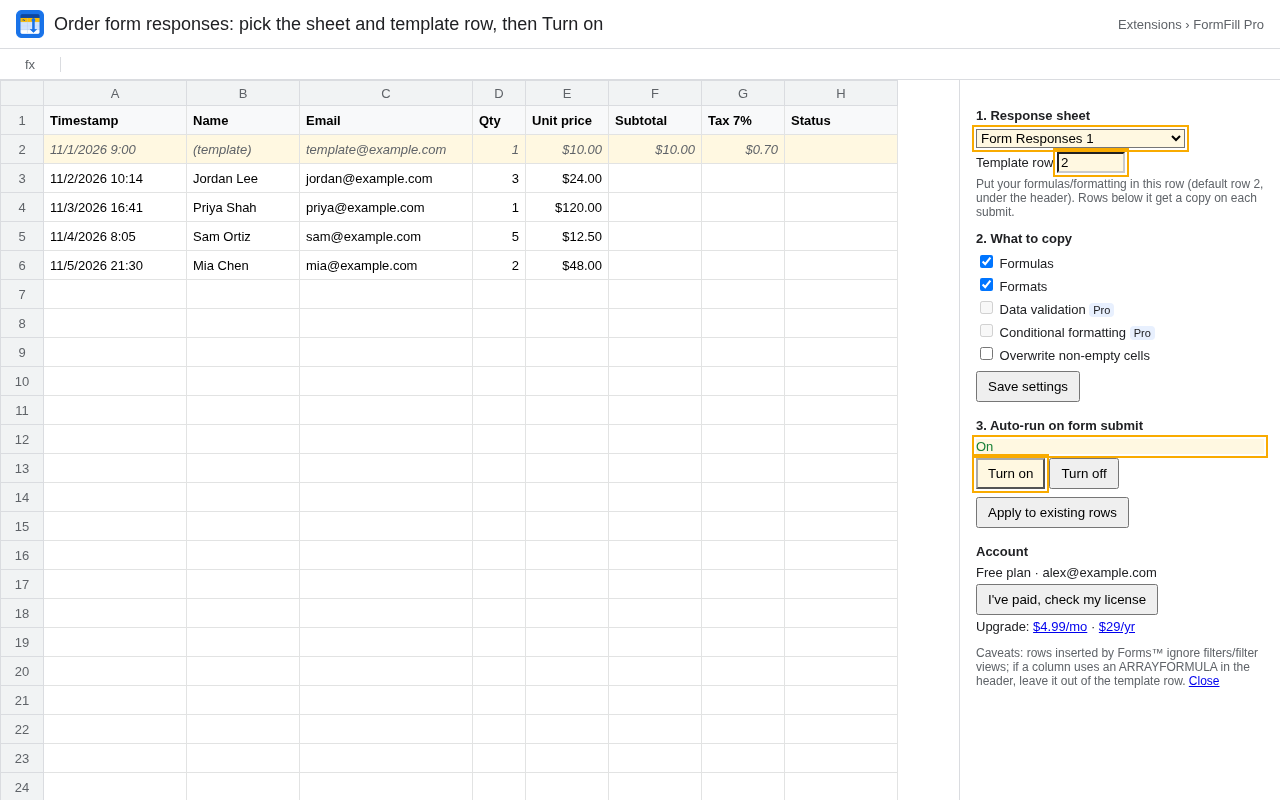
- Open the response sheet linked to your Google Forms™ form and choose Extensions > FormFill Pro > Open sidebar.
- Put your formulas and formatting in the template row (row 2 by default).
- Pick what to copy, click Save settings, then Turn on.
FormFill Pro adds one form-submit trigger to that spreadsheet. Turn off removes it.
Private by design
FormFill Pro only accesses the spreadsheet it is installed in. Your form responses are processed inside Google Apps Script™ and are never sent to our servers. The only thing we receive is your Google account email address, to check your Pro subscription. No access to your other files, email or calendar.
Good to know
- Google Forms™ adds each response to the next empty row and ignores filters and filter views.
- Leave columns that use an ARRAYFORMULA in the header out of the template row, or you can get a #REF! spill.
- Sorting the response sheet moves the template row; keep it in place.
- The trigger runs as the person who turned it on, within normal Google Apps Script™ quotas.